Remote repositories hosted on GitHub have an owner who has the ability to push commits directly to the repo.
A select few additional users, at the discretion of the repository owner, may also have the same privileges.
However, most often, outside contributors to a repository instead create what is called a fork of a repository.
When someone creates a fork of a repository, they are able to make whatever changes they like to that fork, pushing commits to their fork.
Here is an illustration of this concept:
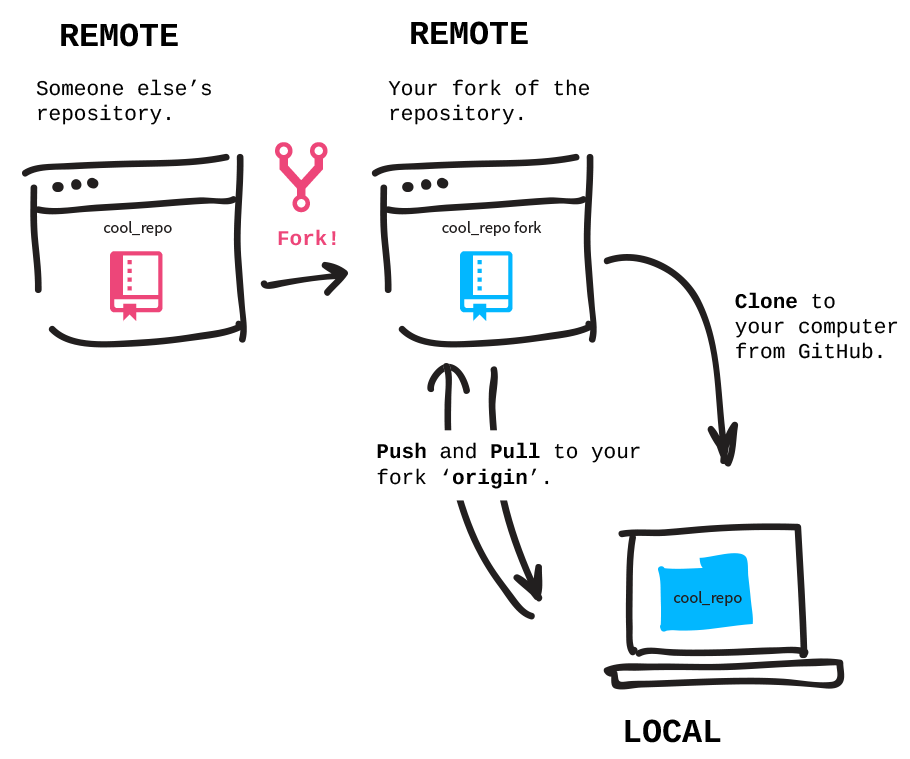
Image credit: Git-it
If someone who has made a fork thinks the original repository owner may want the code they have written, they can use GitHub to create a pull request. That’s like saying:
Hey, I think you might want this code I’ve written in my fork. Do you?
If the original repository owner wants to incorporate the changes into their codebase, they can immediately merge the pull request.
The original repository owner could also request code changes from the contributor before they accept the pull request. The process looks like this:
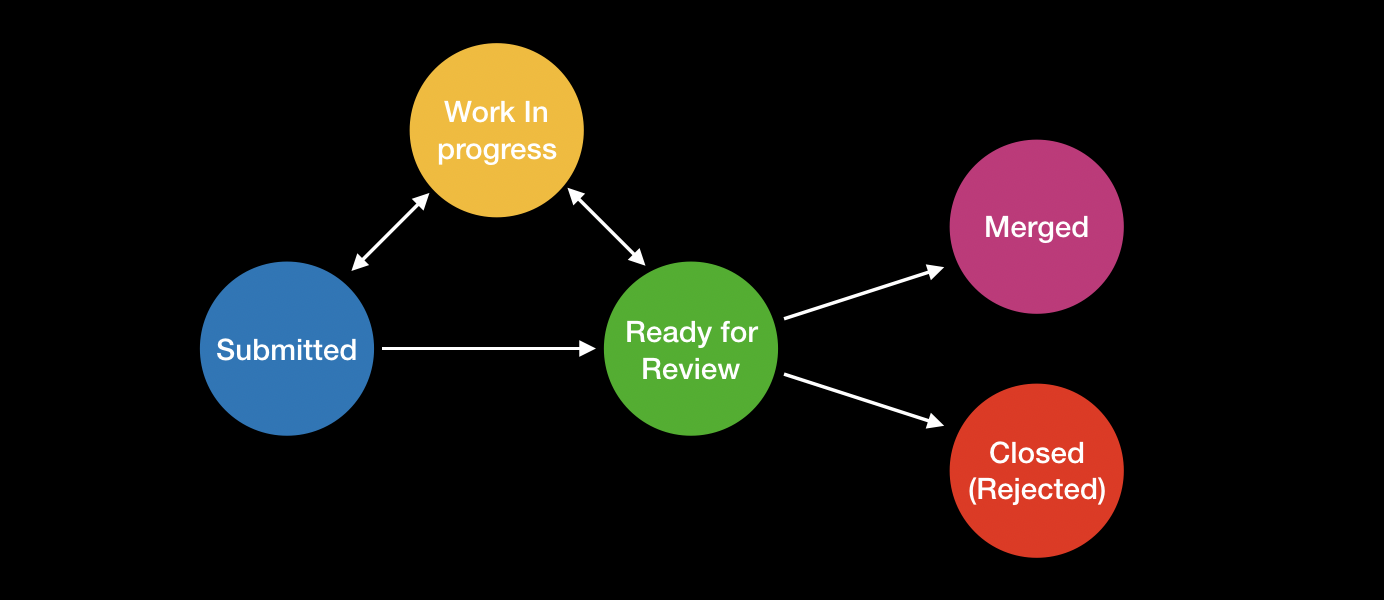
Image credit: MuseScore
Here is how to create a fork of a repository on GitHub, in a short 32-second video:
NOTE
Observe, in the video, the username in the top-left corner. At first, it is
lcs-rgordon. That is the original owner of the repository. After that repo is forked, the ownership of the fork is made clear, as the top-left corner now reflects the username of the person who forked the repository:russellgordon.
Usually, after creating a fork of a repository, you will want to clone the repo to your computer and open it in Xcode. Here is how to do that: